MetaEdge Guide · 2026
4G at home and 5G while moving: two different uses
Why a 4G home connection and 5G in your pocket are different jobs, and what that means before any MetaEdge setup.
4G at home · 5G while moving · home mobile broadband · 5G signal indoors · MetaEdge device support
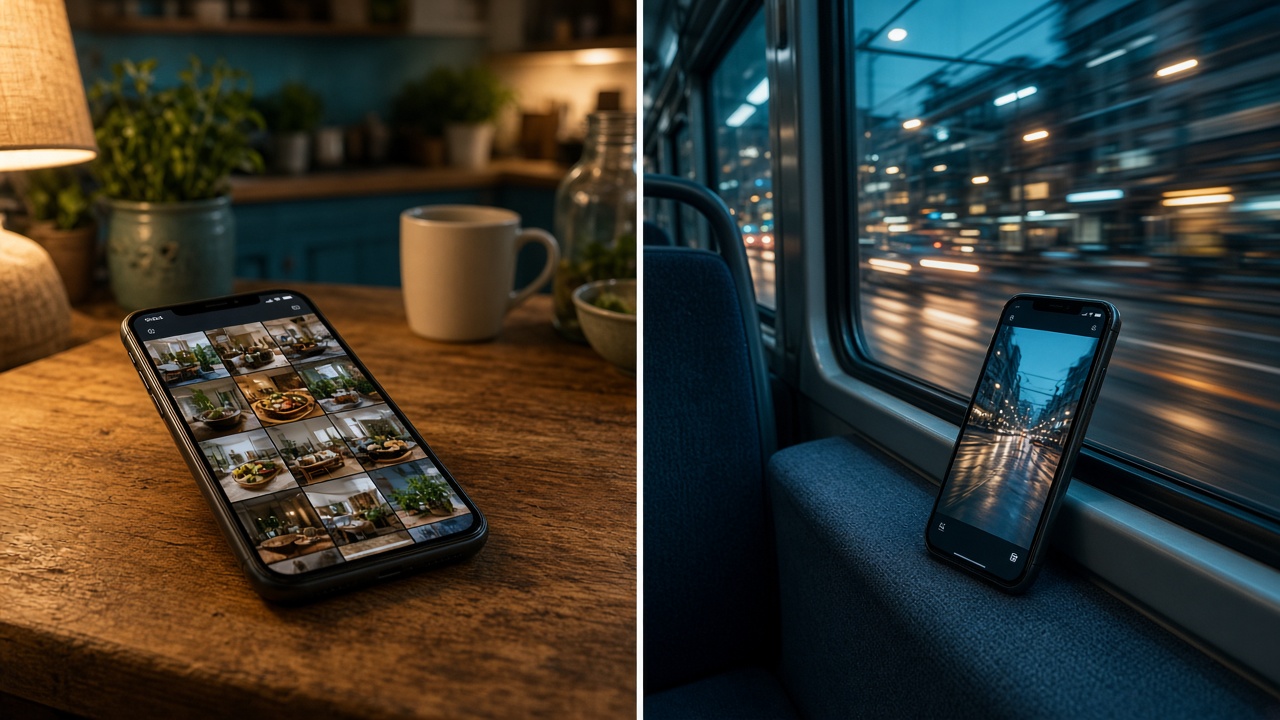
4G at home and 5G on the move look like the same letters on a status bar. They are different jobs. A 4G home router sits still, feeds a flat, and behaves more like a small broadband line. 5G on a phone follows you through buildings, buses, and busy cells. This page is for adults 18 to 30 who use one or both. Rewards from bandwidth sharing are variable and not guaranteed. This is not financial advice, and it will not tell you to buy a bigger plan.
MetaEdge documents a desktop node and a browser extension. The NEST is planned for 2026. A 5G icon does not mean the phone runs a node, and a 4G home hub does not mean every laptop on it is supported. Confirm the current device list and the carrier terms for the SIM that actually carries the traffic. If you treat the two connections as one product, you will misread both the bill and the heat. Look both up before you install.
4G at home is a household connection
A 4G home service is usually a router with its own SIM, plugged in, feeding Wi-Fi to phones, a laptop, and maybe a TV. It does not walk to campus with you. The allowance, if there is one, is a household number. Several people can empty it with ordinary evenings: a game update, a film, a backup. What looks like spare daytime capacity may be the buffer for the night everyone is in. Write that pattern down before you call the line idle. A quiet Tuesday morning is not the month.
Upload on these hubs is often modest. The download number on the box can look like fibre and then fall over when two uploads run. Calls and games feel it first. Any extra background traffic has to fit under that smaller number, and only if the contract allows traffic that is not yours. Read fair use, tethering, and third-party clauses. Unlimited on the leaflet can still throttle after a point. The router being always on does not make the plan a resource you should fill on purpose.
The computer, not the hub, is the device question. MetaEdge's desktop node or browser extension would sit on a supported laptop or PC, using the 4G home link as the path. The hub itself is not documented here as a node. Do not flash it or install unofficial firmware because a forum says the SIM is wasted otherwise. If the flat's 4G line is the only internet, protect it for study and play first. A short test in an empty afternoon is the most you should consider, and only after the contract and the device list both say yes.
5G in your pocket is a moving connection
5G on a phone is personal and mobile. It is for maps, messages, a lecture recording, and a patch you would rather finish before you get home. It changes with the street, the building, and how many other people are on the cell. A fast test outdoors does not describe the same phone in a basement flat ten minutes later. That swing is normal. It is a poor foundation for unattended network software. The phone's job is to stay usable when you move, not to be a miniature router you forget in a bag.
Heat and battery show up faster on a handset than on a home hub. A hotspot that bridges a laptop for one study hour can be a fair use of a large plan, if the carrier allows tethering. An all-day hotspot under a jacket is not. The handset warms, the battery falls, and a fair-use or hotspot cap can bite before any reward screen exists. Turn the bridge off when the task ends. Do not buy a bigger 5G plan so the bridge lasts longer. The extra allowance is a monthly cost. Any credit is not guaranteed.
There is no documented MetaEdge phone app in this comparison. A 5G logo does not add one. If you want to test sharing at all, the candidate is a supported computer, and a moving 5G line is usually the wrong path for that test. Keep the phone for your own traffic. Let leftover gigabytes expire if the alternative is tethering a gaming PC on a train. The PC does not belong in that picture, and leaving it on for profit is not advice this page will give.
Walls, towers, and why the bars lie
Indoor radio is a different network from the pavement. Walls, foil insulation, and a router in a cupboard cut 4G home speeds as well as 5G on a phone. A 5G phone indoors often falls back to 4G on a crowded cell. The icon may still say 5G for a moment and then not. Measure where you actually sit: the desk, the bed, the kitchen. One test by the window is a best case. Repeat it in the evening when the tower is busy. The gap between those two results is the capacity you can talk about, and it may be small.
A 4G home router can be moved a little, once, to a better shelf. It should not live in a metal cabinet. External antennas, if the carrier and the device support them, are a coverage fix for your own use, not a project to increase a reward. Do not buy hardware to chase a variable credit. If the home 4G line is weak in every room, the fix is a conversation with the provider or a different access technology you already need for life, not an app that adds upload.
Movement makes 5G honest and unstable at the same time. On a bus the cell changes. In a lecture theatre the signal drops. Background traffic on that swing competes with verification texts and maps. If you would not trust the bars for a voice call, do not hang extra work on them. Step outside or wait for Wi-Fi you control. The interesting speed on a marketing map is not the speed in your hallway. Write down the hallway. That is the number your flat lives with.
Allowances do not behave the same way
A 4G home plan and a 5G phone plan can both be large and still count differently. The home SIM may have a high cap or a fair-use throttle aimed at households. The phone plan may split on-phone data from a smaller hotspot bucket. Using one to rescue the other, all month, just moves the bill. If the home hub runs out, a short phone hotspot for your own essay is reasonable. Feeding the flat from your pocket every evening is how a personal 5G plan dies before the weekend trip you wanted it for.
Metered plans make the difference sharper. Every gigabyte on the phone is a buffer for the commute. Spending it to top up a home line, or to run background software, can mean overage or a throttle in the last days. Unlimited labels do not erase footnotes. Read both contracts. Do not upgrade either plan so there is more leftover data to share. A bigger allowance is a cost whether or not demand shows up at your address. This page is not financial advice.
Shared households need both counters visible. The person who pays the home 4G bill and the person who pays the phone bill may not be you. Their no covers both radios. Tell them if a laptop on the home hub would move any extra traffic, and for how long. Campus Wi-Fi is a third network and the wrong one. Do not point a 4G or 5G backup at a university login to work around a block. The block is the institution's rule. Your SIM does not cancel it.
Device support is still a separate check
Radio and software are different questions. A strong 4G home signal does not mean your laptop is on MetaEdge's list. A strong 5G phone does not mean the handset is a node. The documented software is a desktop node and a browser extension, for systems the current docs name. The NEST is planned for 2026. Until your operating system or browser is written down, it is out. A router, a 4G hub, and a phone stay out unless a current official page names them. Do not fill the gap with a sideloaded package.
If the laptop is supported and the path is the 4G home line, you still need the carrier's yes on third-party traffic. Then use one method, a cap, and a pause. Test when the flat is empty. Compare a call with the software on and off. If the 4G hub is also your only line for class, a bad test is a reason to stop the same day, not to push through the evening. The extension stops when the browser stops. The node should be pausable. If you cannot find that control, you are not ready.
Tethering the supported laptop to 5G is a second path, not a shortcut around a no. The carrier must allow that hotspot pattern, and the docs must allow that kind of connection. Even then it is a poor all-day setup. Battery, heat, and a smaller hotspot bucket sit between a full charge at noon and a dead phone at night. Prefer the fixed 4G hub for any short computer test, and prefer no test at all if the phone is your only internet. Confirm both sides in writing or in the official pages. Silence is not a yes.
Pick the use you already live with
Match the connection to the life you have, not to a reward story. If you already rely on a 4G router for the flat, treat it as the household line: protect evenings, read the cap, and only consider a supported computer in a quiet hour. If you already rely on 5G in your pocket, keep it for movement. Maps, messages, and the odd tethered hour for your own work are the fit. Do not merge the two into an always-on scheme. They fail in different ways, and stacking them fails both.
A gaming PC does not belong on either radio as a machine you leave awake. On 4G home it can fill the modest upload and warm a small room. On 5G it should not be tethered for profit at all. Play on the connection that already handles your ping, pause anything extra, and shut the tower down when the match ends. Electricity is local. Demand is not promised. The phone goes back in a pocket. The hub stays a hub. That split is the whole point of telling the two uses apart.
You are 18 or over, or you stop. The contract and the device list come before install. Official software only. No bigger plan. No phone app assumed. Rewards stay variable and are not rent. After a week, if calls and games felt the same and nobody else lost their evening, you can keep a small window on the home line. If the 5G phone got hot or the 4G hub got slow, you stop. Two different uses means two different nos, and either no is enough.
Article FAQs
Is 4G at home the same as 5G on my phone?+
No. A 4G home router is a household line that stays put. 5G on a phone moves, drops indoors, and is for your own maps and messages. They can both be fast in a good spot and still fail different jobs.
Can my 5G phone run a MetaEdge node?+
Do not assume so. MetaEdge documents a desktop node and a browser extension. The NEST is planned for 2026. A 5G icon is not phone support. Confirm the current device list and your carrier before any hotspot path.
Should I upgrade to a bigger 5G plan for this?+
No. A bigger plan is a monthly cost. Rewards are variable and not guaranteed. Keep the plan that fits your own use. This page is not financial advice. Do not buy data in the hope of sharing it.
Is a 4G home hub itself the node?+
Not on the evidence of this page. The documented software runs on a supported computer, not by flashing the hub. Read the contract before any extra traffic uses that SIM. Protect the line if it is the flat's only internet.
Which connection should I test on, if any?+
A supported computer on a 4G home line you control, in a short quiet window, and only if the contract allows it. A moving 5G phone is the wrong default. Stop if calls, heat, or the household notice a change.