MetaEdge Guide · 2026
Phone, hotspot, or laptop: which device actually fits
A direct comparison of phone, hotspot, and laptop for unused internet: what each device can do, and what MetaEdge actually documents.
phone hotspot or laptop · tethering bandwidth sharing · MetaEdge device support · mobile hotspot limits · desktop node or extension
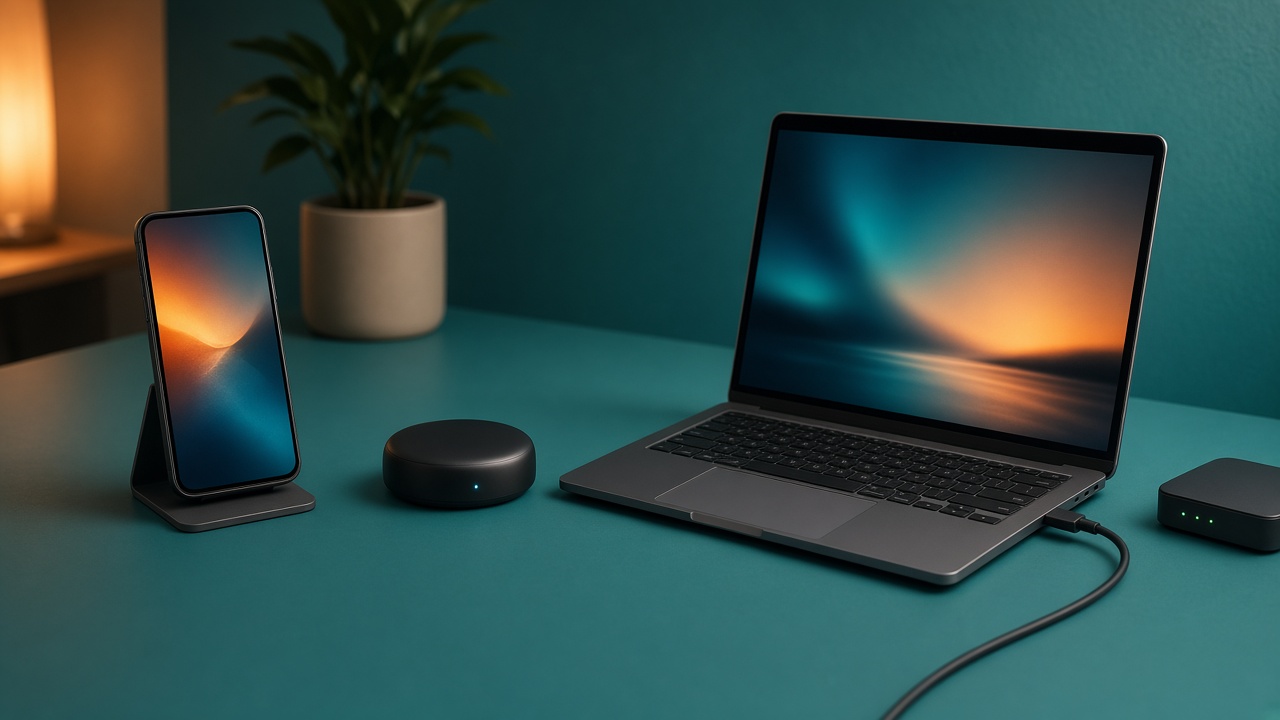
Phone, hotspot, and laptop get lumped together in posts about unused internet. They are not the same tool. A phone is the device in your pocket. A hotspot is a mode that shares a mobile plan with something else. A laptop is a computer that can run software you install. This page is for adults 18 to 30 on 4G, 5G, or a large home plan. Rewards from bandwidth sharing are variable and not guaranteed. This is not financial advice, and it will not tell you to buy a bigger plan.
MetaEdge documents a desktop node and a browser extension. The NEST is planned for 2026. Neither line means your phone runs a node, and a hotspot does not fill that gap. Confirm the current device list and your carrier before you assume a handset, a tether, or a particular laptop is allowed. If the list does not name the machine, that machine does not fit, no matter how much data is left on the SIM. Look it up before you install.
Three devices, three jobs
The phone's job is the one you already use it for: maps, messages, tickets, a lecture recording, and the occasional game on the bus. It joins Wi-Fi when you have it and falls back to 4G or 5G when you do not. That fallback is valuable because it moves with you. It is a poor place to park unattended network software. Battery, heat, and a carrier fair-use policy all sit in a slab of glass. Treat the phone as a phone. Spare gigabytes on it are allowance, not a second computer.
Hotspot, or tethering, is a bridge. The phone stays the modem. The laptop does the work. Some plans allow a short bridge for your own study and forbid leaving it on for third-party traffic. Some count hotspot data in a smaller bucket than on-phone data. The bridge can be the right tool for an hour in a library when the building Wi-Fi is useless. It is a bad tool for an overnight session. The phone warms up, the battery falls, and the allowance you wanted for the commute disappears.
The laptop is the only one of the three that can match what MetaEdge documents, and only if the current docs name its system and browser. A desktop node is installed software. A browser extension runs inside a supported browser and generally needs that browser open. A gaming PC is a laptop's louder cousin: it can also be a computer, but it draws more power and should not be left on for a reward. Pick the device by the job. Do not pick it because a screenshot showed a balance.
What a phone can do without running a node
A phone with data left can finish a reading, upload a form, and keep a group chat alive away from Wi-Fi. That is a complete use of a plan. It does not require extra software. If the billing date is close and you still need the commute, keep a buffer. Letting gigabytes expire is cheaper than overage and cheaper than a plan you do not need. Do not install a sideloaded package because a forum calls it the mobile version of a desktop node. MetaEdge does not document that app on this page.
Signal quality decides whether the phone is even a good modem. Indoor 5G can drop to a crowded 4G cell. A basement flat, a bus, and a lecture hall swing between fast and unusable. Background traffic on that swing competes with calls and verification texts. If you would not trust the bar for a voice call, do not hang extra work on it. Step to a window, or wait for Wi-Fi you control. Movement is the phone's advantage for you. It is a disadvantage for anything that wants a stable route.
Age and ownership still apply. If you are under 18, stop. If the SIM is a parent's and they have not agreed, stop. If the phone is a work device with a management profile, stop. Confirm the carrier's rules for how the line may be used before you imagine any sharing setup. A handset that can load a web page is not a compatibility list. Write down the model, the OS version, and the plan name, then compare them with MetaEdge's current docs and the contract. Missing from either list means no.
A hotspot is a bridge, not a setup to leave running
Use a hotspot when the laptop needs your connection for your own task and the carrier allows tethering. A seminar PDF, a short call, or a form is a normal use. Turn the hotspot off when the task ends. An always-on hotspot under a pillow, feeding background software, fails heat, battery, and usually the fair-use clause. It can also make the phone too hot to pick up. That is a hardware problem, not a sign that the idea is working. Stop, let it cool, and put the laptop on a fixed line if you have one.
Even a permitted hotspot does not mean MetaEdge supports the path. The laptop on the other end must be a supported system for the desktop node or the browser extension. The carrier must allow the pattern of traffic, not only a few minutes of your own browsing. If either answer is unclear, do not guess. A bridge for study is still available. A bridge for unattended relaying is a separate question. Ask it in the contract and in the docs, not in a group chat.
Do not buy a larger mobile plan so the hotspot lasts longer. The extra allowance is a monthly cost. Any credit is variable and not guaranteed. If your current plan already covers maps, messages, and the odd tethered hour, keep it. A gaming session on a hotspot is usually a latency gamble anyway. Play on Wi-Fi or ethernet when you can. Save the SIM for the street. This page will not tell you to leave a high-power PC tethered overnight so a reward screen has something to show.
When a laptop is the clearer fit
A laptop you already open for essays and lectures is the clearer candidate, after two yeses. MetaEdge's current list must include the operating system for the node or the browser for the extension. The internet contract must allow the use, and the account holder must agree. Then the laptop can host a capped, pausable trial during hours when you were going to be awake anyway. Closing the lid should sleep the machine. That is what you want in a bag. Do not change sleep, block vents, or defeat thermal limits to stay eligible.
A browser extension and a desktop node are not interchangeable in daily use. The extension stops when the browser stops, which suits a study session that has a beginning and an end. The node can keep a process up while other apps run, which means you must watch upload and heat more carefully. Install one, not both, until you know which your system supports. Official source only. Unique password. Find the pause control before you look at any credit. If ping moves during a call, pause.
A gaming PC can be the computer in the room, but it is rarely the right one to leave in the background. Its power draw can dwarf a laptop, and a strong graphics card does not create demand for your connection. Use it while you are already playing or patching, and pause extra traffic for competitive matches. When you are done, shut it down or let it sleep. Electricity is local and certain. A reward is not. If the only laptop you own is the one in the lecture, that laptop's first job remains the lecture.
Shared flats, dorms, and whose line it is
The right device on the wrong network is still wrong. Campus Wi-Fi, hall Wi-Fi, and a landlord's router you do not control are not yours to attach extra traffic to. A phone hotspot does not fix that by moving the same assignment onto a SIM you also do not control. In a shared flat, the broadband contract needs a yes from the person who pays, and from the people who need the line for calls and games. A laptop in your room still uses the flat's upload. Tell them what you are testing and for how long.
Your phone on the flat Wi-Fi should stay a client, not a secret modem for a second hop. Chaining a hotspot out of an already busy router makes two queues. It also hides usage from the people who share the bill. If the line feels worse, stop. Saturation shows up as broken voice chat and rubber-band matches before it shows up as a reward. A quiet afternoon when the flat is empty is a different hour from Sunday night. Test at the real desk, not next to the router while everyone is out, and then pretend that result holds at peak.
Guests, café Wi-Fi, and a neighbour's password fail the ownership check even if your laptop is supported at home. So does a family SIM you borrowed for the month. The device fit and the permission fit are both required. MetaEdge's 2026 plan for The NEST does not waive either. If you cannot name the account holder and the supported computer in one sentence, you do not have a setup. You have a pile of hardware. Leave the pile alone until both names are real.
Pick one path and confirm it
Pick one path for a trial, not three. Path one: phone only, for your own maps and messages, with no extra software. That path fits almost everyone and needs no node. Path two: a short hotspot to a laptop for your own study, if the carrier allows tethering, then off. Path three: a documented desktop node or browser extension on a supported computer, on a connection you may use, with a cap and a pause, for a short window. Do not mix path three with campus Wi-Fi or with an overnight gaming PC. If you cannot explain the path, do not start it.
Confirmation is two lookups, not a vibe. Open the current MetaEdge documentation and find your operating system or browser written down. Open the carrier or broadband terms and find tethering and third-party traffic. If either page is silent, ask and keep the answer. Silence is not a yes. A friend whose phone seems to do it is not a yes. An old screenshot of an app icon is not a yes. The NEST being planned for 2026 is a date, not a device list. Until your machine is named, it is out.
After a week on path three, or after no trial at all, the decision should still be boring. Calls, games, and study felt the same, or you stopped. The bill did not grow because you refused a bigger plan. The PC slept. The phone stayed a phone. Rewards, if any, stayed variable and were not rent. This is not financial advice. The device that fits is the one whose job you do not have to break. For most people in a shared flat, that is the laptop already open, or no extra software at all.
Article FAQs
Can my phone run a MetaEdge node if it has data left?+
Do not assume so. MetaEdge documents a desktop node and a browser extension. The NEST is planned for 2026. Spare gigabytes do not add phone support. Confirm the current device list and your carrier before any setup.
Is a hotspot the same as running the software on the phone?+
No. A hotspot makes the phone a modem for another device. The other device still needs to be supported, and the carrier must allow that tethering. An all-night hotspot is a poor idea for heat, battery, and data.
Which device should I try first?+
A laptop you already use, and only if MetaEdge lists that system and the contract allows the use. Otherwise use the phone for your own traffic and skip extra software. Do not start on campus Wi-Fi.
Should I get a bigger plan so the hotspot lasts?+
No. A bigger plan is a monthly cost. Rewards are variable and not guaranteed. Keep a plan that fits your own maps, messages, and the occasional tether. Do not upgrade for this.
Does a gaming PC count as the laptop option?+
It is a computer, so support is a documentation question, not a nickname. Do not leave a high-power PC on for a reward. Power and heat are real. Any credit is not. Pause extra traffic during competitive games.